Agency billing & slots
How the slot model works, the bracket pricing table, a volume-mode worked example, and the founder programs available to early Agency-tier customers.
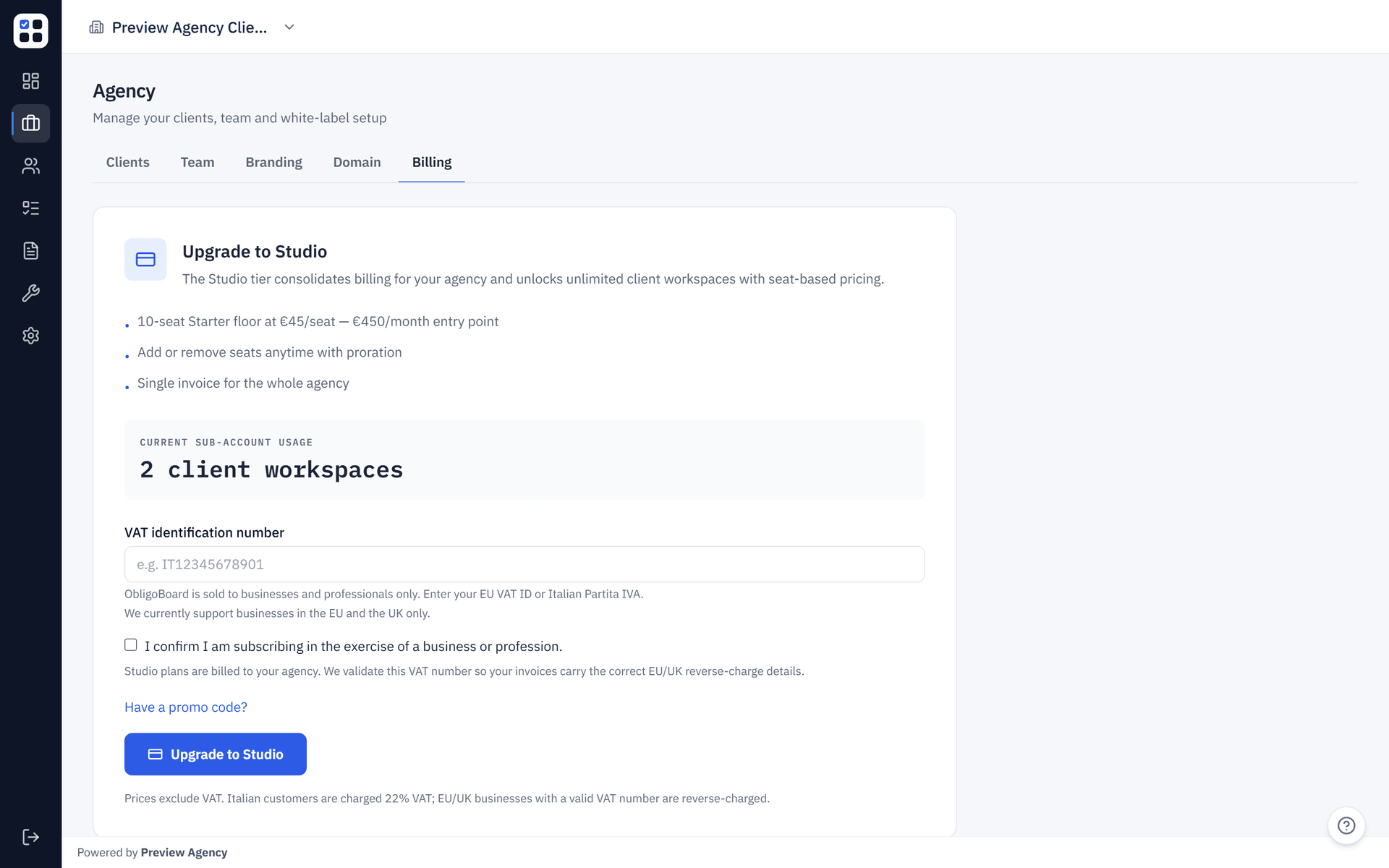
The Agency tier uses a slot model: each non-archived SME workspace under your agency parent account consumes one active slot (a used seat in-app), while Stripe billing is based on your purchased slots (the billed seats on the subscription). Pricing is bracketed in volume mode: as you purchase more slots and grow past 21 and 51 seats, the per-slot rate drops and your monthly bill gets cheaper per client even as it grows in absolute terms.
What counts as a slot
A slot is one active (non-archived) SME organisation under your agency. The simple rule:
1 slot = 1 non-archived sub-account workspace.
Agency seat accounting is materialised by the agency_seat_accounting view and surfaced in /agency/billing. Two things to remember:
- Slot consumption is per-workspace, not per-user. A sub-account with 10 internal team members still costs you exactly one slot.
- A sub-account counts the moment it is provisioned, even if the SME's primary admin hasn't accepted their invitation yet. This prevents sub-account sprawl by an agency_admin who provisions 50 prospective clients "just in case".
What does NOT count as a slot
- Team members inside an SME workspace (those are governed by per-org plan limits — Starter/Pro seat caps).
- Pending agency-team invitations (
agency_admin/agency_membercolleagues at your firm). - Archived sub-accounts (archiving releases the slot immediately in-app because only non-archived sub-accounts count toward active slot usage; Stripe charges only change if you also adjust your purchased seats, as explained in How seat changes are billed).
- Your own agency parent account.
Multi-entity clients
A single SME client that operates multiple legal entities (for example, a holding company plus three trading subsidiaries) consumes N+1 slots — one per entity, because each entity is a separate ObligoBoard workspace with its own obligations, frameworks, and audit trail.
If you'd like to bundle a multi-entity client into a single workspace, you can — at the cost of losing per-entity reporting granularity. Most agencies opt for one workspace per legal entity because that's how their downstream compliance reports need to be structured anyway.
The bracket table
Pricing is set in EUR and locked by issue #418 (verified 2026-04-29 against src/lib/agency-tiers.js). The Stripe price object uses tiers_mode: 'volume', which means every slot in your subscription is billed at the rate of the bracket your total slot count falls into — not at graduated bracket-by-bracket rates.
| Tier | Slot range | Per-slot price (EUR / month) | Entry monthly bill |
|---|---|---|---|
| Agency Starter | 10 – 20 | EUR 45 | EUR 450 (10 slots × 45) |
| Agency Growth | 21 – 50 | EUR 39 | EUR 819 (21 slots × 39) |
| Agency Scale | 51 – 150 | EUR 32 | EUR 1,632 (51 slots × 32) |
| Agency Enterprise | 151 + | Custom (contact sales) | — |
The minimum subscription quantity is 10 slots. Starting an agency subscription with fewer than 10 SMEs still bills you for 10 — the floor is set so the founding-team economics work. Above that floor, you only pay for your current usage if you keep your purchased seats aligned with your active sub-account count (for example, by reducing spare headroom in the Stripe portal when you no longer need it).
Volume-mode worked example: the price-drop at slot 21
Volume mode means the per-slot rate of the highest matching bracket applies to all your slots — not a graduated split. That produces a price drop when you cross a bracket boundary:
| Slots | Bracket | Calculation | Monthly bill |
|---|---|---|---|
| 10 | Starter | 10 × 45 | EUR 450 |
| 15 | Starter | 15 × 45 | EUR 675 |
| 20 | Starter | 20 × 45 | EUR 900 |
| 21 | Growth | 21 × 39 | EUR 819 ⬇ |
| 30 | Growth | 30 × 39 | EUR 1,170 |
| 50 | Growth | 50 × 39 | EUR 1,950 |
| 51 | Scale | 51 × 32 | EUR 1,632 ⬇ |
| 100 | Scale | 100 × 32 | EUR 3,200 |
| 150 | Scale | 150 × 32 | EUR 4,800 |
| 151 + | Enterprise | Contact sales | — |
The drops at slot 21 (EUR 900 → EUR 819) and slot 51 (EUR 1,950 → EUR 1,632) are intentional growth incentives. Crossing a bracket should reward you, not punish you.
How seat changes are billed
Provisioning or archiving a sub-account does not by itself update your Stripe subscription quantity. Sub-account provisioning only checks whether you have enough agency_seat_accounting.available_seats; Stripe is only updated when you explicitly change the number of purchased seats:
- Provisioning a new sub-account → consumes one already-purchased available seat. If you do not have an available seat, buy more seats first in
/agency/billing. - Buying seats in
/agency/billing→ increases your Stripe subscriptionquantity, and Stripe applies proration immediately for the remainder of the current billing period. - Reducing seats → is handled through the Stripe customer portal, which updates the subscription quantity there; any credits or proration timing are determined by Stripe as part of that change.
- Crossing into a new bracket because your purchased quantity changes → the effective per-seat price used by Stripe is recalculated as part of that subscription update, so review the preview/portal totals at the time you make the change rather than assuming it waits until renewal.
You can preview an increase at /agency/billing via the Buy seats button — the preview pane shows the prorated amount before you confirm.
Archiving a sub-account only frees an available seat inside ObligoBoard. It does not by itself create an immediate Stripe credit or refund; to reduce what you are billed for, lower the purchased seat quantity in the Stripe portal.
Founder programs
Two coupons are available to early Agency-tier customers. Both stack with your subscription's bracket pricing — they apply a percentage discount on top of whatever rate your slot count places you in.
FOUNDING_STUDIOS25 — Founding Agencies
- Discount: 25% off, applied to your Agency subscription.
- Duration: 18 months.
- Cap: First 10 redemptions only.
- Eligibility: New Agency-tier customers who sign up via /founding-agencies while seats are still available. The seat counter on that page is live — once it hits zero, the coupon is closed and the form switches to a waitlist.
- How to apply: Click the Start your subscription CTA on
/founding-agencies(it pre-appliesFOUNDING_STUDIOS25at checkout) or paste the code into the Promo code field on/agency/billing.
FOUNDER_CONVERSION25 — Founder Conversion
- Discount: 25% off, applied to your Agency subscription.
- Duration: 12 months.
- Cap: Unlimited redemptions, but eligibility is gated.
- Eligibility: ObligoBoard accounts that previously redeemed the original
FOUNDER50Pro-tier coupon (theauth_users.had_founders50sticky flag is the gate). When such an account upgrades to Agency, the conversion coupon is offered automatically. - How to apply: Visible at
/agency/billingif your account qualifies. You can also paste the code manually if needed.
FOUNDER50 (the original Pro-tier coupon) does not apply to Agency-tier checkouts — Stripe rejects it and the page shows a structured error explaining that founder credit converts via FOUNDER_CONVERSION25 instead.
Managing your agency subscription
/agency/billing can be viewed by agency_owner and agency_admin. Admins see a read-only seat panel; only agency_owner can change billing, open the Stripe Customer Portal, start a subscription, buy more slots, apply promo codes, or cancel. From that page, owners can:
- Start a subscription (no-subscription state) — agree to the floor of 10 slots, optionally apply a coupon, and complete Stripe Checkout.
- Buy more slots (active state) — set the new total, see the prorated preview, confirm.
- Open the Stripe Customer Portal — update payment method, download invoices, see historical charges.
- Cancel — end the subscription at the next renewal; sub-accounts remain accessible until the period ends, then enter read-only mode.
Starting an Agency subscription is a B2B checkout, so it goes through the VAT gate: a valid EU VAT ID is reverse-charged (0% Italian VAT), Italian agencies are charged 22%, and UK agencies are outside the EU VAT scope. See B2B VAT gate for the full flow and rejected-VAT-ID troubleshooting.
What's next
- Agency setup — provision sub-accounts, manage roles, archive to release slots.
- White-label & custom domain — what each Agency bracket bundles.
- Agency FAQ — slot counting, bracket transitions, multi-entity clients, founder programs.